A good CSM to customer ratio is one where every account gets a planned step each quarter and CSM hours go to the accounts that need a person. There is no universal number. The famous 1:144 counts accounts, not the work behind them.
So stop debating the ratio. Count touches, then report which accounts actually got one.
Where 1:144 comes from
The number comes from Gainsight's July 2022 benchmark of its US enterprise customers above $100M ARR. Gainsight competes with Base AI, which publishes this post, so weigh that as you read. It is still a fair starting point.
The averages, by touch tier:
High touch: 22 accounts each
Mid touch: 49 accounts each
Low touch: 144 accounts each
Here is the part to read closely. Gainsight said low-touch accounts "likely have automated CS processes" to "help the CSMs scale". So 144 may not measure what one person can handle. It may measure one person plus a set of programs.
Benchmark your team against it and you may be comparing a CSM to someone else's CSM and their machinery.
More accounts, less revenue
The second problem shows up when you look at money. Gainsight set low touch at under $10K in annual contract value and high touch at over $100K. Multiply that by the account averages, and the arithmetic, which is ours, looks like this:
Our arithmetic on Gainsight's 2022 tiers and averages.
The CSM with six and a half times the accounts carries less revenue. Account count tells you little about either the load or the value in a book.
What is a good CSM to customer ratio?
The CSM to customer ratio is the number of accounts assigned to one customer success manager, usually set by segment. A good ratio is one where every account gets a planned, account-specific step each quarter. Two teams at 1:144 can be running completely different businesses.
Picture two CSMs with 144 accounts each.
The first works the 30 loudest accounts. The rest wait for a renewal date or a ticket.
The second runs programs that reach all 144, and spends personal time on the 25 accounts where usage says a person is needed.
Same ratio. Different business. If you can't say what your 144th account received in the last 90 days, your ratio describes your org chart, not your coverage.
How do you plan CSM capacity?
Plan customer success capacity with a touch budget instead of an account count. For each segment, multiply accounts by the touches each one needs per quarter and by the CSM minutes per touch. Compare the total with the CSM hours you have. The gap is the list of accounts that won't get what you planned.
A touch is any step that reaches one specific account: a call, a business review, a success plan update, an adoption tip tied to its usage. A newsletter to everyone doesn't count.
Here is an illustrative book of 150 accounts, with one CSM and 120 hours a quarter:
That is 170 hours of work against 120 available. The missing 50 don't come out evenly. They come out of the long tail, because strategic accounts call back and long-tail accounts don't.
The plan says 1:150. The budget says 100 accounts get nothing this quarter.
Move touches, not accounts
The usual fix is to move accounts into a lower tier. The ratio goes up, and the touches those accounts needed stop being anyone's job.
The better move is to sort the touches. Every touch belongs in one of three lanes:
On schedule. Fixed steps with no judgment, like a welcome sequence or a renewal reminder. Base AI's glossary covers these under zero-touch automation.
AI agent decides. Steps that need a decision per account but not a relationship, like which tip to send. On the Base AI Customer Growth platform, an AI teammate decides the next step, takes it and brings in a person when needed.
Person owns it. Steps where a person changes the outcome, like a renewal at risk or an executive conversation.
Now rerun the same book. Strategic stays the same. Mid-market moves one status update to an agent. The long tail moves both touches off the CSM's plate.
The same book of 150 accounts. Illustrative numbers.
CSM demand drops from 170 hours to 100. The spare 20 hours go to the accounts an agent hands back, like the customer whose usage fell off.
One warning. A lane is only as good as the data behind it. Our guide to customer success automation lists what a playbook needs before an agent can run it.
How Okta covered accounts with no CSM
Okta's story is the clearest live example we can point to. Okta is a Base AI customer, so weigh it with that in mind.
Its Digital Success team needed success plans for accounts without a CSM. Plans built by hand didn't scale, and the team set a hard limit: no added manual work for CSMs.
Customers now pick their goals from a curated list. Live usage data places each one on Okta's maturity model and generates a plan. Completed actions check off automatically.
The results, as Okta's story reports them:
Success plans 100% automated for digital-only accounts
Weekly adoption of an underused feature tripled in one week
No added manual work for Okta's CSM or Scale teams
This is automation, not an AI agent: each plan follows Okta's own model. A ratio would never register the change, because no CSM was assigned to those accounts at all. That is the idea behind success plans in Base AI's retention solution.
What should you report instead?
Report covered accounts instead of the CSM to customer ratio. Covered accounts is the share of accounts in a segment that received at least one account-specific program step in the last 90 days, from any lane. It is our definition, not an industry standard, and it shows what the ratio hides.
Three rules keep it honest:
The step depends on that account's goals, usage or stage. A launch announcement to everyone doesn't count.
The step reached the customer. A task in a CSM's queue isn't coverage.
You split the number by lane, so you can see where your people spend their time.
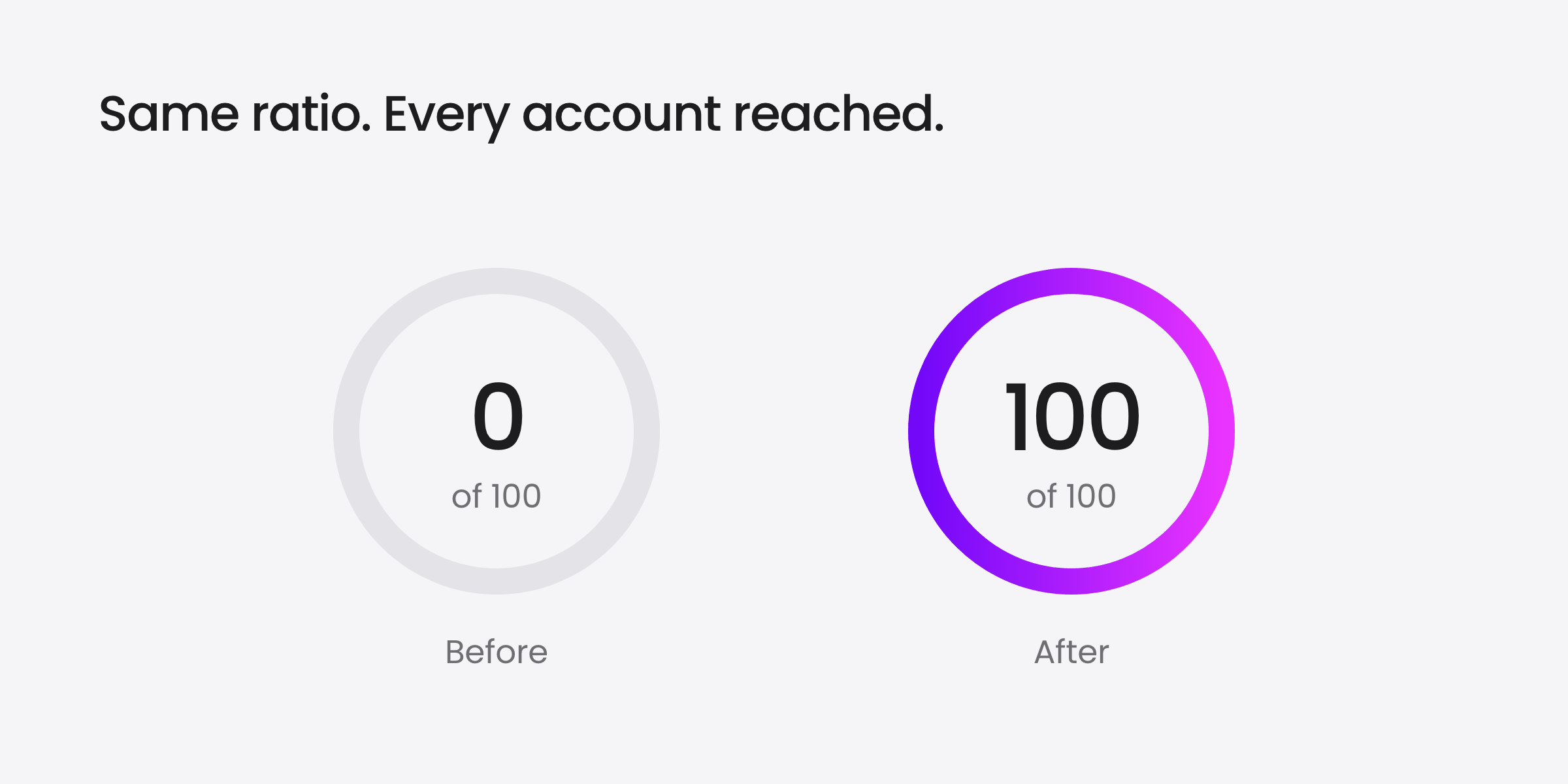
In the example book, the long tail goes from none of its 100 accounts covered to all of them. The ratio never moves.
Long-tail accounts covered in 90 days. Illustrative numbers.
Pair coverage with an outcome you already track, like adoption or renewal rate. Otherwise a team can raise coverage by sending steps that change nothing.
If your activity data doesn't share an account ID, that is the gap the Base AI platform closes. Then run the same count on new accounts: Base's onboarding solution tracks milestones per account and flags the ones that need attention.
Start with one query
You don't need a new tool to start, if your CRM and program logs share an account ID. Pull the last 90 days of activity for your lowest-touch segment. Count the accounts that got at least one account-specific step, and divide by the accounts in the segment.
That is your first covered-accounts number.
Keep the 1:144 for the board deck if you have to. Just put this number next to it.
Key Takeaways
1:144 is 2022 competitor data. Gainsight's average for low-touch CSMs at firms above $100M ARR.
More accounts can mean less revenue. A 144-account book can hold less than a 22-account one.
Count touches, not accounts. A touch budget shows which accounts will get nothing.
Report covered accounts. The share that got a real step in the last 90 days.
Frequently asked questions
How many accounts should a CSM manage?
How many accounts a CSM should manage depends on touch tier. In Gainsight's 2022 benchmark of its US enterprise customers above $100M ARR (Gainsight competes with Base AI), high-touch CSMs averaged 22 accounts, mid-touch 49 and low-touch 144, with tiers set by contract value. Treat that as a range, not a target: the limit is the touches each account needs and how many run without the CSM.
What is a good CSM to customer ratio?
The CSM to customer ratio is the number of customer accounts assigned to one customer success manager, usually set by segment or contract value tier. A good ratio is one where every account gets a planned, account-specific step each quarter and CSM hours go to the accounts that need a person. Two teams with the same ratio can deliver very different coverage.
Why is the 1:144 CSM ratio misleading?
The 1:144 figure is a 2022 average for low-touch CSMs from Gainsight, a Base competitor, and Gainsight's own explanation was that those accounts "likely have automated CS processes", such as in-app NPS, communities, webinars and email campaigns. So it may measure a CSM plus programs, not a CSM alone. It also hides revenue: by simple arithmetic, 144 accounts under $10K each hold less than $1.44M.
How do you calculate how many CSMs you need?
Calculate how many CSMs you need with a touch budget. For each segment, multiply accounts by the touches each account needs per quarter and by the CSM minutes per touch, then compare the total with the CSM hours available. In an illustrative 150-account book, demand came to 170 hours against 120. Moving touches to the On schedule or AI agent decides lanes closed the gap.
What is the covered accounts metric?
Covered accounts is a metric Base proposes, not an industry standard: the share of accounts in a segment that received at least one account-specific program step in the last 90 days, from any lane. A step counts only if it depends on the account's goals, usage or stage and reached the customer. Report it by schedule, AI agent and CSM, next to adoption or renewal rate.
Can accounts without a CSM still get a success plan?
Yes. Okta, a Base customer, made success plans 100% automated for digital-only accounts, with no added manual work for its CSM or Scale teams, according to its published story. Live usage data places each customer on Okta's maturity model and generates a plan from the features it has enabled, and completed actions check off automatically. Weekly adoption of an underused feature tripled in one week.
Customer experiences that drive NRR.
Building and scaling your advocacy program is easy when you can manage campaigns, rewards, track, and report - all within one AI platform.