Demos of AI tools for customer success tend to go well, because a demo tenant is usually connected, joined and clean. Yours probably isn't. The Customer Success Collective's 2026 State of Customer Success Report, from a survey of hundreds of CS professionals, says over half work with fragmented data.
So the question is what the tool will know about your accounts on day one. Below are 12 questions, in the order a buying cycle runs, each scored 0 to 3. Three can end the evaluation early.
The tools fall into four categories: CSM assistants, AI inside the CS platform, point tools and agent builders, and customer-facing AI programs.
AI tools for customer success are software that uses AI to read customer data and then draft, recommend or act on it. They fall into four categories, and what separates them is which data each can read and what each may touch.
CSM assistants. Read what the CSM pastes in, or the meeting the tool joins. Fit a high-touch book.
AI inside the CS platform. Reads data synced into the platform. Fits alerts your CSMs have time to act on.
Point tools and agent builders. One source and one task, or whatever you build. Fit one task with a clear owner.
Customer-facing AI programs. Read the record they connect to, often joined across systems, and touch the customer directly. Fit uncovered accounts that differ too much for one rule.
The expensive mistake is buying from one and expecting another's result, like buying a note-taker and hoping your unmanaged accounts renew.
What the AI demo hides
Say two tools ship the same "AI renewal risk summary". One reads tickets only. The other adds product usage, calls and CRM history. The first flags a happy customer as at risk for filing five tickets during a rollout. In a demo tenant, both look identical.
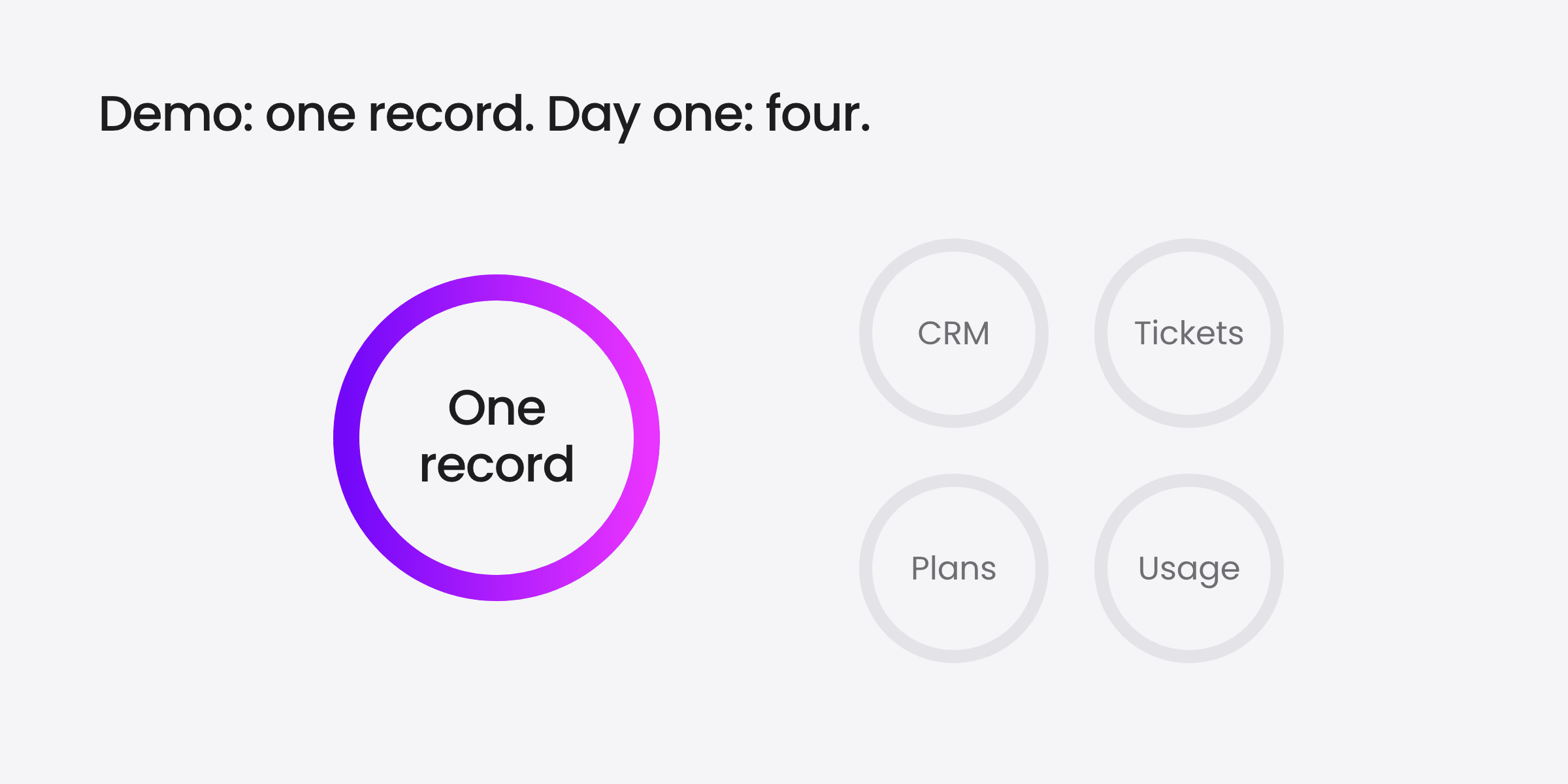
TSIA's State of Customer Success 2026 argues that messy data is rarely the real barrier for modern models. Access is. Sales owns the CRM. Support owns the tickets. Customer success owns the plans. Product owns the usage. TSIA is a Base AI customer.
TSIA names who owns each silo: sales, support, customer success and product.
When those systems don't connect, in TSIA's words, "AI only sees fragments of the customer story." TSIA also calls unified customer data one of the strongest predictors of renewal performance in 2026, without publishing figures for it.
How should you evaluate customer success AI tools?
Evaluate customer success AI tools on four things feature lists hide: what customer data each tool reads, what actions it takes, what controls you keep and what proof it produces. Ask three questions per area, and ask each one where it can be proven. Score every answer this way unless a question names its own bar:
0: no, or no answer
1: on the roadmap, or possible through exports and manual work
2: works today, with limits the vendor names
3: shown live, on your data or a sandbox loaded with it
A 0 on Q1 or Q4 is a stop, whatever the total, because every other answer depends on the data. Below 2 on Q7 is a stop for any tool whose AI acts in front of customers.
If the job runs only on what the CSM pastes in, score Q1 and Q4 n/a, not 0. If it needs only one source, score Q4 a 3.
These are working rules, not benchmarks. All three come before the trial, so a vendor who fails one never costs you 30 days.
All three stop rules come up before the trial.
Before the demo: three written questions
Send these with the invite and ask for written answers. A smooth demo can't steer them.
Q1. Does it read, natively, the systems this job needs? For example CRM, CS platform, support desk, product usage, calls and email.
Q2. What data can the AI access, which models run it, and is our data used to train shared models? A 3 is written answers your security team signs off on.
Q3. Which outcome will it move in 30 days, and from what baseline? Not "engagement". A 3 is a named metric, a baseline method and a 30-day target, in writing.
In the demo: stop the script
The demo is the vendor's best hour. Interrupt it for four questions.
Q4. Does it join those sources into one record per account and contact? When the AI answers, ask which sources that answer used, and ask to see them.
Q5. Which actions can it take, by name? "It can do anything" scores 0 until someone lists them.
Q6. Where does the action land? If your gap is accounts nobody covers, an action on a CSM's screen lands on nobody's. A 3 is: it lands where your gap is.
Q7. Can we require human approval before any customer-facing action, loosen it one task at a time, and see a log? Ask to see all three screens.
In the trial: use your data
Four questions only show up once the tool runs on your accounts.
Q8. How fresh is the data when the AI decides, and what does it do when a source is missing or stale?
Q9. Does it write results back to the system of record? Open the CRM in week one and look.
Q10. Who can change it after launch, and how fast? A 3 is: the team that owns the program ships a change in a day.
Q11. Can it compare accounts it touched with similar ones it didn't? Our ROI guide walks through the holdout method.
Re-score Q1, Q4, Q5 and Q7 here. This is where a demo 2 becomes a 3, or drops.
Run it for 30 days: one program, one segment, one metric with a baseline, and a holdout group. End with a number, what the AI got wrong and how much CSM time it took to supervise.
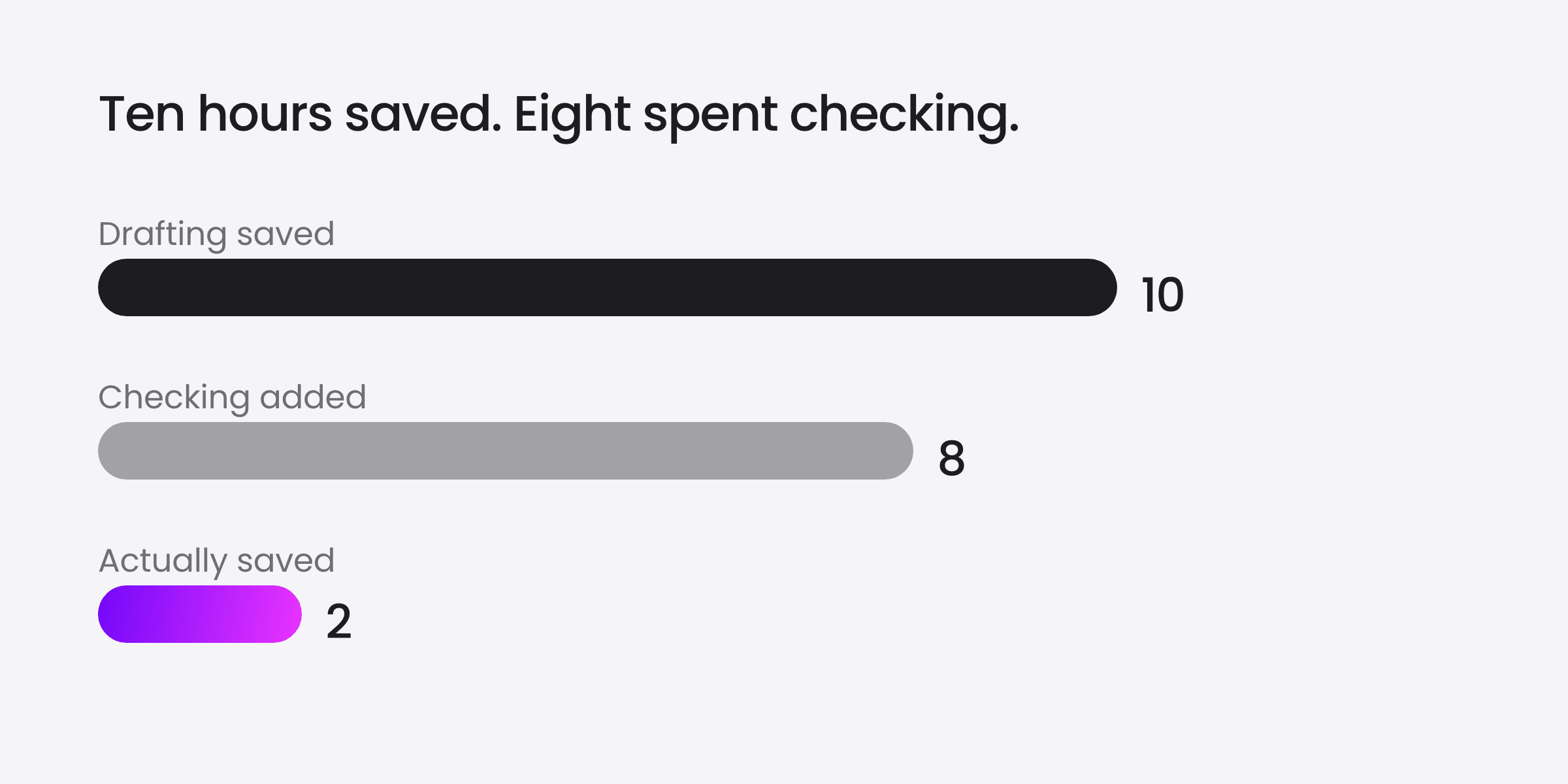
Illustrative numbers. Count supervision time in every trial.
A tool that saves ten hours of drafting and costs eight of checking has saved two.
On the reference call: ask what broke
Q12: can it show a result from a customer like us? A reference in your segment who shares the number scores 3. Then ask:
What did the AI get wrong in the first month, and how did you find out?
Which approval settings did you loosen, and which did you keep?
Who made the last change to the program, and how long did it take?
Where the reference's answer differs from the vendor's, keep the lower score. The maximum total is 36, or 30 with Q1 and Q4 n/a. Compare totals only within the category that fits your gap.
Price isn't one of the twelve, because it only means something per unit of outcome. Add fees and your team's hours to build, run and supervise it, then divide by the lift against the holdout: cost per extra activated account, or per CSM hour saved.
Where Base AI fits
A disclosure: Base AI sells in the fourth category, as the AI Customer Growth platform, so hold us to the same twelve. Here is what our live pages state:
Data. Per the platform page, your CRM, customer success platform, support desk, calls and Slack feed one customer record, and Base AI writes back to your CRM.
Action. On AI onboarding, the AI builds the journey, curates the next step and keeps progress moving.
Control. Per task and per segment, the AI teammate acts on its own, asks you first or only suggests. The security page lists SOC 2 Type 2, SSO, MFA and audit logging.
In Okta's customer story, the Digital Success team connected Databricks, Gainsight, Salesforce and Pendo to run success plans for accounts without CSM coverage. Weekly adoption of an underused feature tripled in one week. That result rests on connected data, and the page makes no AI claim.
Shortlist us if the gap is accounts no one covers, those accounts differ enough that a rule per segment picks the wrong next step, and you can connect the record during a trial. Skip us if your platform's journeys already move those accounts, or no one will own the program content and the guardrails.
Your next move: before you accept the next demo invite, reply with Q1, Q2 and Q3. A vendor who can't answer those in writing has saved you the meeting.
Key Takeaways
Demos hide the gap. Demo data is curated; over half of CS professionals have fragmented data.
Ask by stage. Writing, demo, trial, reference call: 12 questions, each scored 0 to 3.
Three stop rules. Data access, joined records, and approval on customer-facing AI can end it.
Judge price per outcome. Divide fees and your team's hours by the lift against a holdout.
Frequently asked questions
What should you ask an AI vendor for customer success before the demo?
Before a demo of a customer success AI tool, send three questions in writing with the meeting invite. Does the tool natively read every system the job needs, such as CRM, CS platform, support desk and product usage? What data can the AI access, which models run it, and is your data used to train shared models? Which outcome will it move in 30 days, and from what baseline?
What should you test in a demo of customer success AI tools?
Interrupt the vendor's script. When the AI produces an answer, ask which sources that specific answer used and ask to see them, because a demo tenant is usually connected and clean. Then ask for its actions by name, where each action lands, on a CSM's screen or in front of the customer, and for three screens: the approval queue, the setting that loosens one task, and the action log.
When should you stop evaluating an AI tool for customer success?
Three answers end an evaluation whatever the total score: a 0 on whether the tool reads the systems the job needs, a 0 on whether it joins them into one record per account and contact, and, for any tool whose AI acts in front of customers, below 2 on human approval. All three get asked before the trial, so a failing vendor never costs 30 days.
How do you choose the best AI tools for customer success?
The best AI tools for customer success are the ones that read the data your gap needs, so pick the category before the vendor. CSM assistants, AI inside the CS platform, point tools and agent builders, and customer-facing AI programs read different data and touch different things. Score every vendor 0 to 3 on 12 questions, where most 3s need an answer shown live on your own data.
What should you ask a reference customer about a customer success AI tool?
Ask for a reference that looks like you: your segment, a similar stack, the same program. Ask for the result and the number behind it. Then ask what the AI got wrong in the first month and how they found out, which approval settings they loosened and which they kept, and who made the last change to the program. Where their answer differs from the vendor's, keep the lower score.
How should you compare pricing for customer success AI tools?
Compare cost per unit of outcome, not list price. Get the pricing model in writing, whether seats, usage or credits, plus implementation and services fees. Add your team's hours to build, run and supervise the tool at a loaded rate. Divide the total by the lift against a holdout group over the same period: cost per extra activated account, or per CSM hour saved.
Customer experiences that drive NRR.
Building and scaling your advocacy program is easy when you can manage campaigns, rewards, track, and report - all within one AI platform.